Home › All templates › Monthly & Paycheck Budget Planner
BESTSELLER PICK

Monthly & Paycheck Budget Planner

Framework Paycheck budgeting

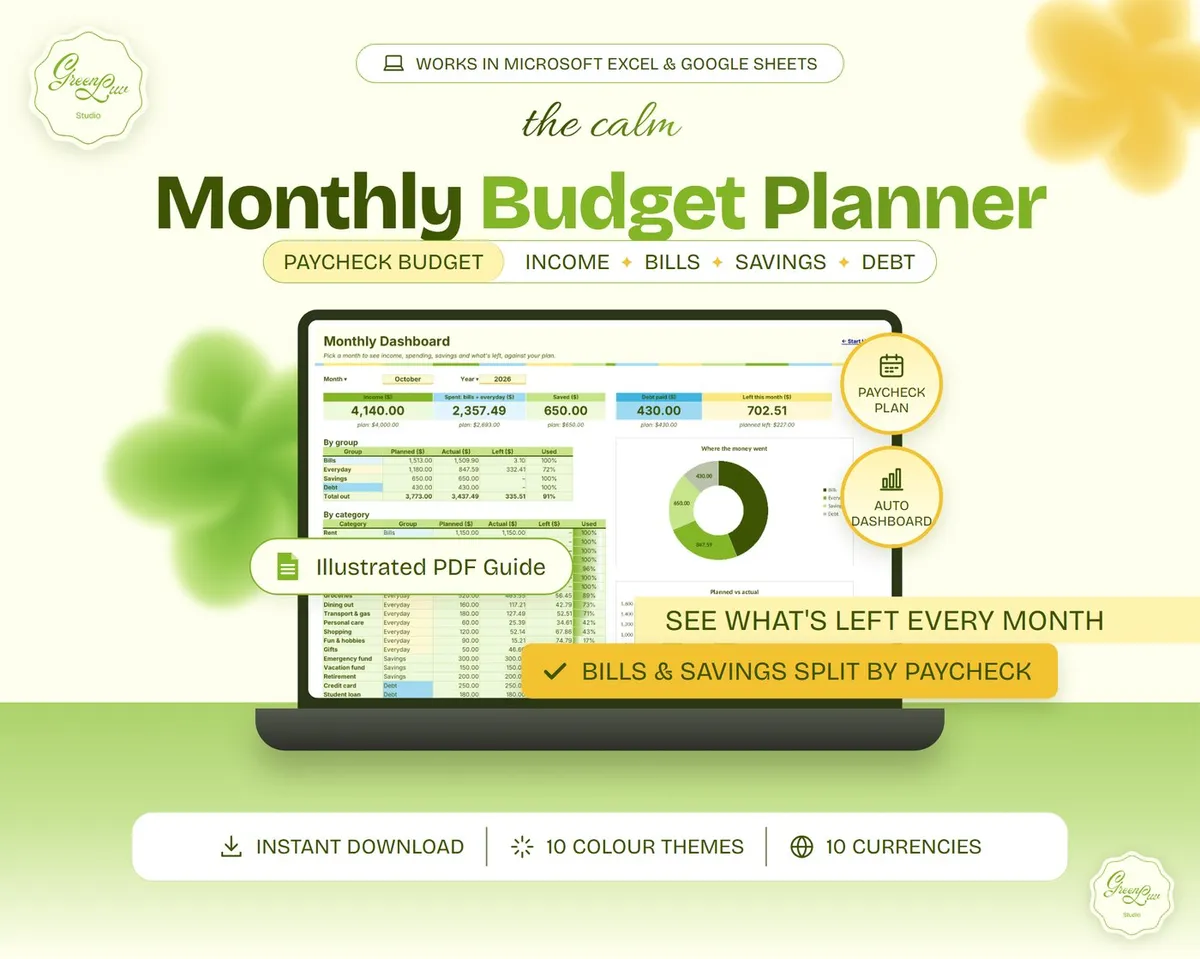
Built on the paycheck budgeting method, ready to use in Google Sheets & Excel, and made to fit you. Plan your month, split it by paycheck and see exactly what's left, with a dashboard that updates itself.

Buy now · Instant download
  • Ready to use: filled-in example, blank file and step-by-step guide
  • Proven framework: paycheck budgeting
  • Made to fit you: 10 colour themes, 10 currencies, rename any category
  • Works in Google Sheets & Excel (Mac & PC)
  • Instant download, no account needed
  • Secure checkout by Payhip
  • Friendly email help: greenluvstudio@gmail.com

What's included (4 files)

  • Monthly_Budget_Planner_BLANK.xlsx: ready for your own numbers
  • Monthly_Budget_Planner_EXAMPLE.xlsx: four months of a fictional budget
  • Monthly_Budget_Planner_Guide.pdf: 11-page step-by-step guide with screenshots
  • READ_ME_FIRST.pdf: start in 3 minutes

What it does

Budget plan

Expected income and a monthly budget for up to 50 categories in Bills, Everyday, Savings and Debt.

Paycheck plan

Add up to 4 pay days. Every bill, savings transfer and debt payment goes to the paycheck that arrives before it's due.

Transactions

Log income and spending in seconds with category dropdowns. 800 rows ready.

Monthly dashboard

Pick any month: income, spent, saved, debt paid and what's left against your plan, with 2 charts.

Year overview

12 months side by side with your savings rate and a chart.

10 colour themes + currency

Pick a theme on Start Here and every tab changes colour. Choose from 10 currencies.

As easy as 1, 2, 3

1

Plan your month

Income, then a budget per category. Add due days to bills.

2

Log what you spend

One row per payment, pick the category from the dropdown.

3

See what's left

The Dashboard, Paycheck Plan and Year Overview update by themselves.

watch it in action

See it in under a minute

A short silent walkthrough: set up, plan, log and check what's left.

  1. Plan your month: Income, then a budget per category. Add due days to bills.
  2. Log what you spend: One row per payment, pick the category from the dropdown.
  3. See what's left: The Dashboard, Paycheck Plan and Year Overview update by themselves.
  4. Make it yours: switch colour theme and currency on Start Here.

Details

Compatibility

  • Google Sheets (free with a Google account): upload the BLANK file to Google Drive and open it with Google Sheets.
  • Microsoft Excel 2016 or newer, Microsoft 365 and Excel for Mac.
  • No macros, add-ins or subscription.

Delivery

  • Instant download: after payment you get the download links on screen and by email. Save the files on a computer for the smoothest start.
  • This is a digital download. Nothing is shipped.

Good to know

  • When Excel opens the file for the first time, click Enable Editing.
  • A personal budgeting planner, not accounting, tax or financial advice.
  • Names and numbers in the example file are fictional.
  • Designed by me; AI-assisted tools were used during production, and every formula was tested before release.
  • For personal use. Please don't share or resell the files.
  • Because this is a digital file, sales are final. If anything doesn't work, email greenluvstudio@gmail.com and I'll help you.

Questions, answered

I'm not a spreadsheet person. Is it hard?

No. You only type in the highlighted cells, the formulas do the maths and the guide walks you through every tab.

What does "proven framework" mean?

Each template follows a well-known planning method, such as paycheck budgeting or plan vs actual budgeting, and the product page names it, so you know exactly which system you are using.

Can I change the colours and currency?

Yes. Pick one of 10 colour themes and your currency from dropdowns on the Start Here tab.

How do I use the coupon code?

Copy GREENLUV10 from the box above the Buy button, click Buy now and paste it into the coupon field at checkout.